Gold, Silver and Bronze command
Set up your crisis team across strategic (Gold), tactical (Silver) and operational (Bronze) levels, with clear roles before an incident begins.
Incident management platform
When disruption hits, information has to move faster than the incident.
Continuity Direct is our real-time Incident and Crisis Management capability. It turns the people already on the ground into secure, real-time reporting points, and gives your incident team a single, trusted operational picture.
Native apps for iOS and Android, plus a secure web-based command centre.
Incident Command Dashboard
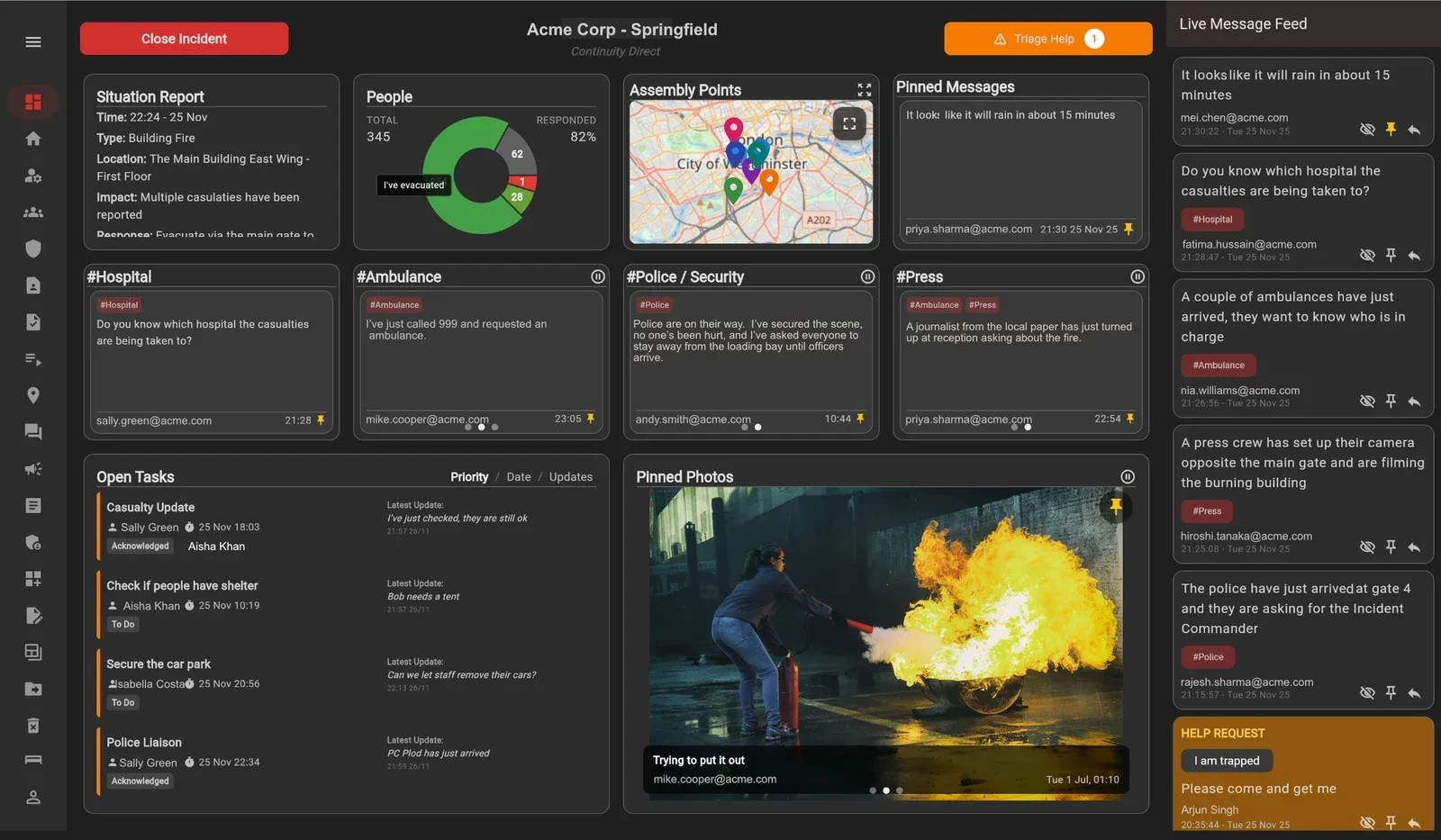
The Incident Command Dashboard gives incident managers and control rooms a single, live operational picture, from the first report to the moment the incident is closed.
Capabilities
In most incidents, the people who can see what is happening are not the people making decisions. Messages scatter across phone calls, group chats and email. Continuity Direct gives that information one secure, structured route.
Set up your crisis team across strategic (Gold), tactical (Silver) and operational (Bronze) levels, with clear roles before an incident begins.
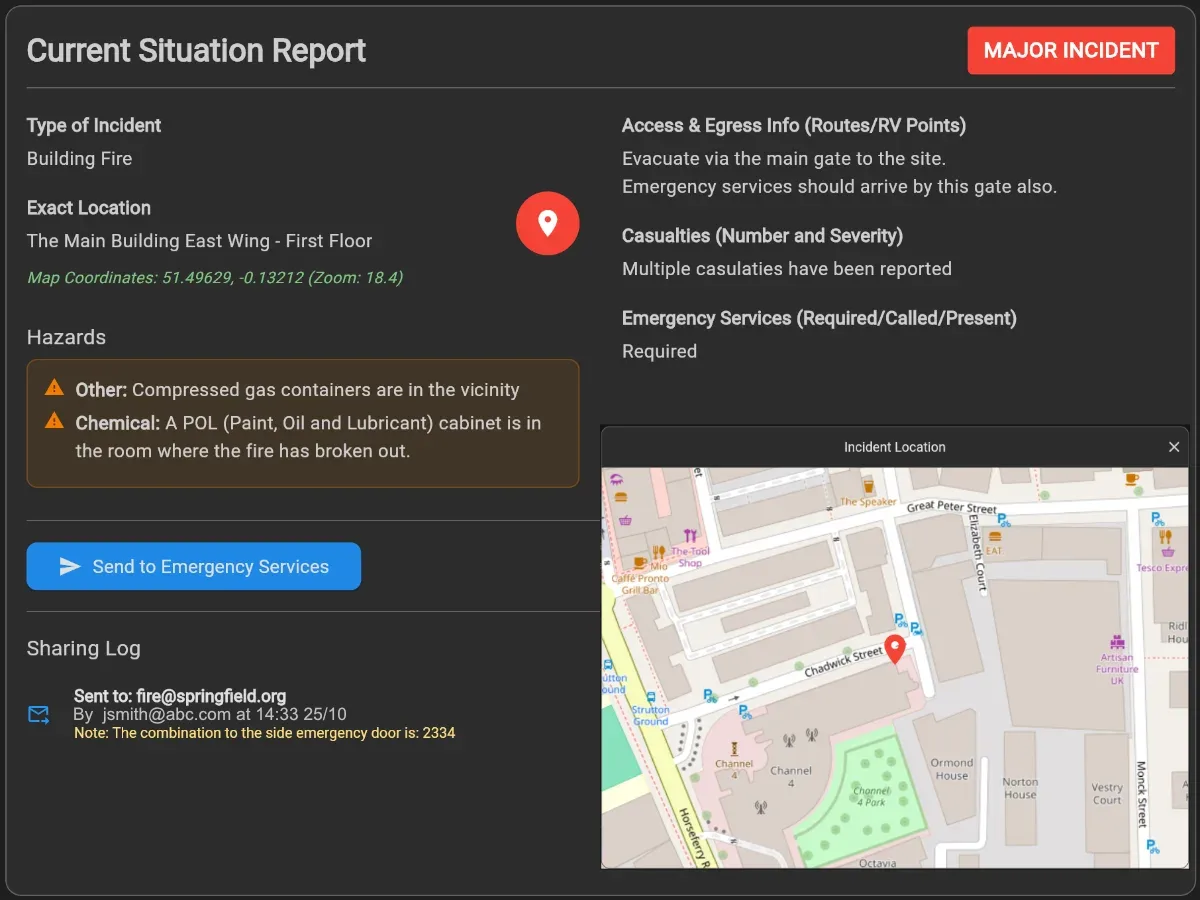
Structured SitReps in the M/ETHANE format capture hazards, access routes, casualties and the emergency services required, and can be sent straight to the emergency services.
Alert everyone, selected teams or named individuals through encrypted push notifications and email, with no dependency on congested SMS networks.
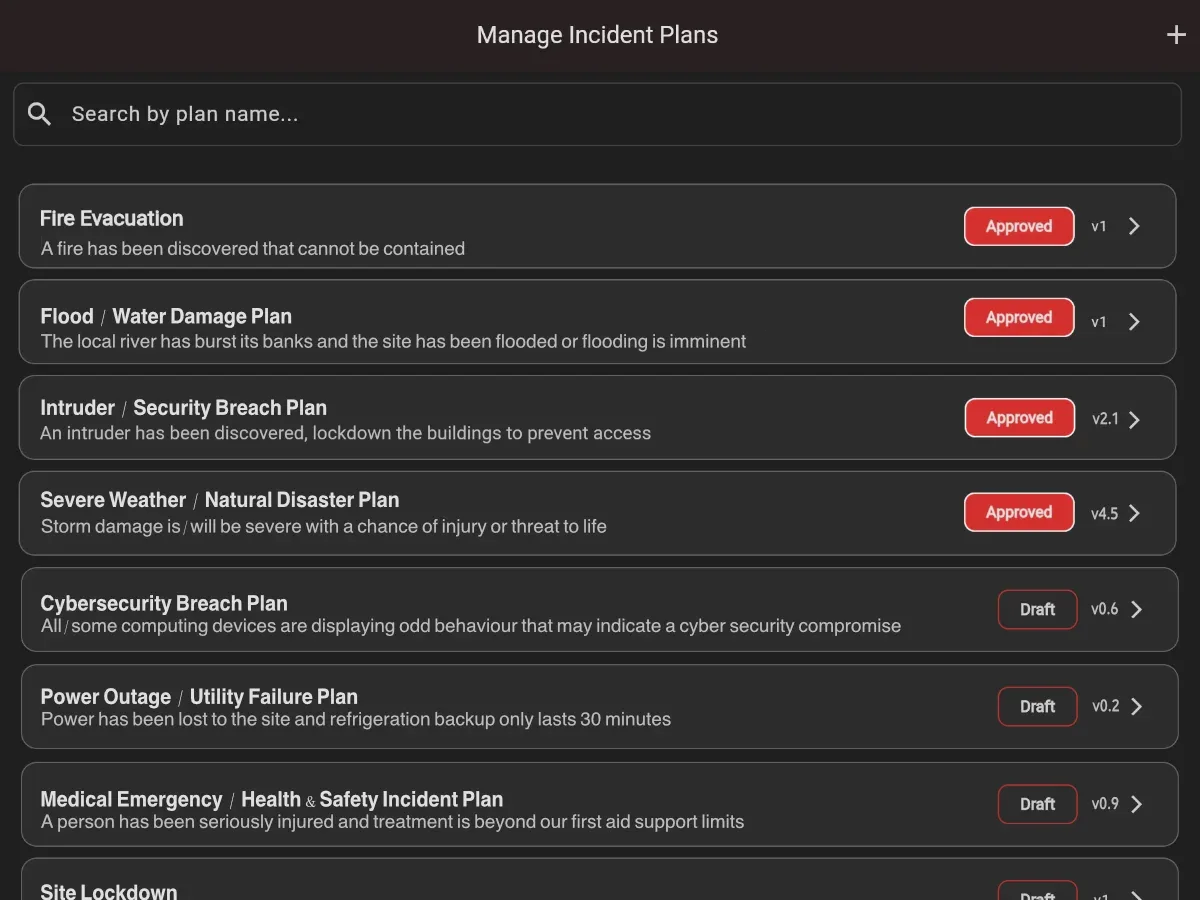
Import your existing plans and their tasks, keep them versioned with draft and approved status, then invoke the right plan in seconds when an incident is declared.
Assign, prioritise and track actions by team or individual, so nothing falls between the cracks.
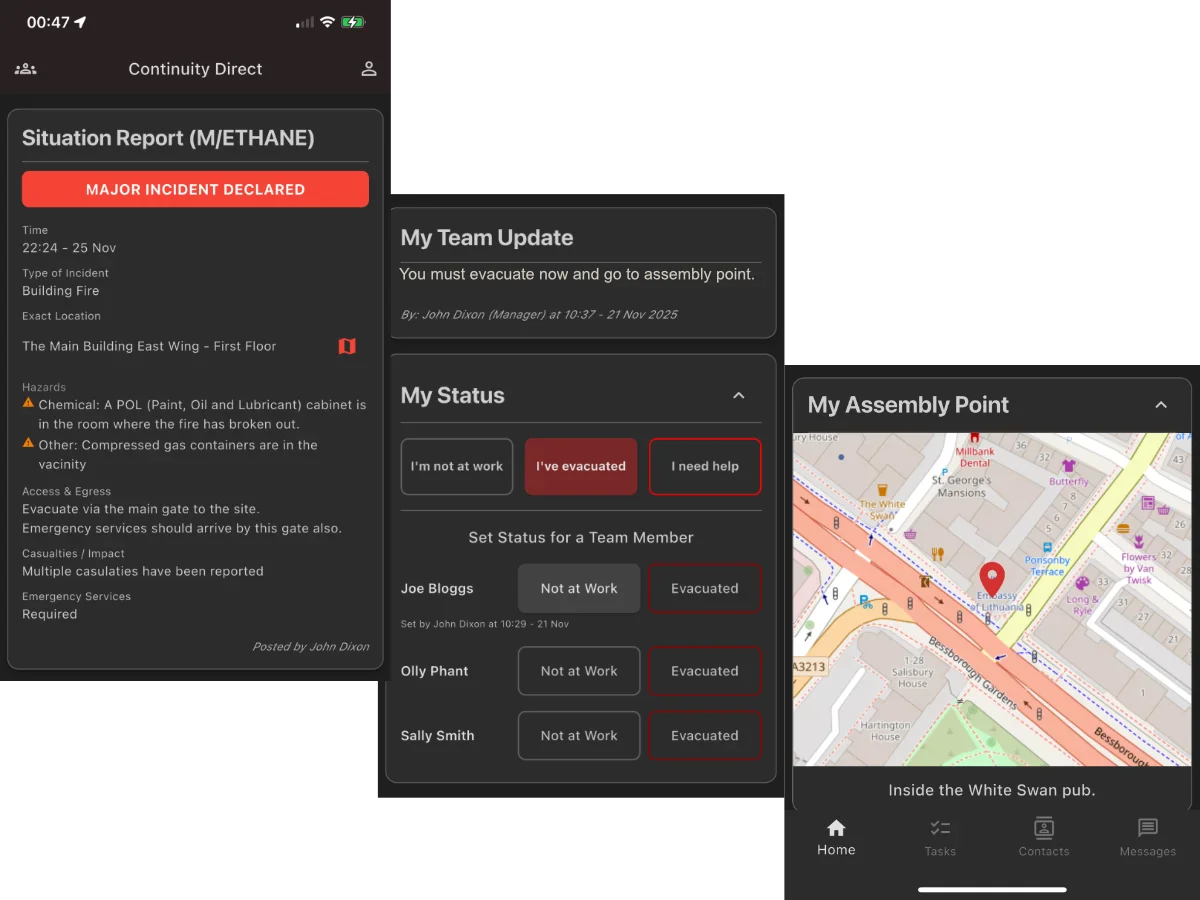
Staff send reports and photographs from the scene and update their own status, such as “I’ve evacuated” or “I need help”, straight from the mobile app.
A timestamped record of every report, decision and action, providing the evidence needed for review, audit and lessons learned.
A role-based permissions matrix controls exactly who can view and manage users, teams, contacts, plans, tasks and messages.
Bulk import users and teams from CSV, back up and restore data, export records and securely delete data when it is no longer needed.
Inside Continuity Direct
How it works
01 · Report
A member of staff submits a structured report from their phone or tablet, with photos and, if they choose, a description of where they are.
02 · Coordinate
The incident team sees the report on the command dashboard, assesses it alongside other reports and decides on the response.
03 · Confirm
Instructions go out to the right people, acknowledgements come back, and everything is recorded on the incident timeline.
Security & privacy
Continuity Direct is designed and maintained under our security and compliance practices.
Continuity Direct never connects to your corporate network, so it keeps working even if that network is taken down by ransomware or other malware.
The app never tracks or records where staff are. People share their location in a message only if they choose to.
All traffic between the mobile apps, the command centre and the service is encrypted in transit.
Your instance is provisioned in the jurisdiction you choose (UK, EU or US) to meet your data residency requirements.
The command centre and the apps sit behind secure, independent login, with no reliance on corporate single sign-on that could fail alongside your network.
No advertising networks, analytics trackers or profiling technologies are built in.
Incident exercising
Tabletop exercises on paper rarely capture the pace and ambiguity of a real incident. We build interactive, scenario-driven tools that put teams in the decision seat and measure how they respond.
Timelines, role-based views, targeted instructions and a complete decision record are the foundations of Continuity Direct, and exactly what a realistic exercise needs. We build exercises around your organisation and your risks.
Talk to us about an exerciseTimed injects that adapt to each decision, following the lifecycle from detection and containment through to recovery.
Distinct views for executives, technical responders, communications and legal, so each role sees only what it would in reality.
A live console to pace the exercise, release injects and observe decisions as they are made.
A timestamped decision log and structured debrief to evidence lessons learned and improvement actions.
Continuity Direct has two main components: a mobile app on every staff member’s phone, and a web-based command centre for incident managers, protected by secure login. Neither connects to your corporate network. This is deliberate: Continuity Direct stays logically isolated, so it keeps operating even if your corporate network becomes inaccessible, for example after a ransomware attack that encrypts your systems.
No. Continuity Direct does not track staff location at all. Many people are understandably reluctant, or refuse, to install an app on their own or work phone that could report their location to their employer, 24/7, even if that feature is normally switched off. So we left it out entirely. If someone wants the incident team to know where they are, they can say so in a message, only if they wish.
The staff app runs natively on iPhone, iPad and Android phones. The command centre runs in a web browser and is designed for desktop displays in control rooms and incident rooms.
We provision your Continuity Direct instance in the jurisdiction you choose (UK, EU or US) to satisfy your data residency requirements. It is kept separate from your corporate systems so it remains available when they are not.
Legal
Last updated: 7 November 2026
Continuity Direct supports your incident response; it does not replace your emergency procedures or the emergency services. In an emergency, always call 999 or 112.
Our role as your data processor, what the platform and apps collect, who we share data with, retention, security and your rights.
Read the privacy policy
Subscriptions, acceptable use, availability, the emergency services disclaimer, and the limits of our liability.
Read the terms and conditions